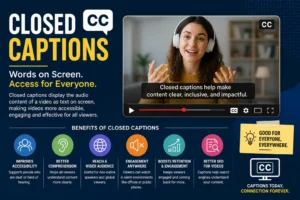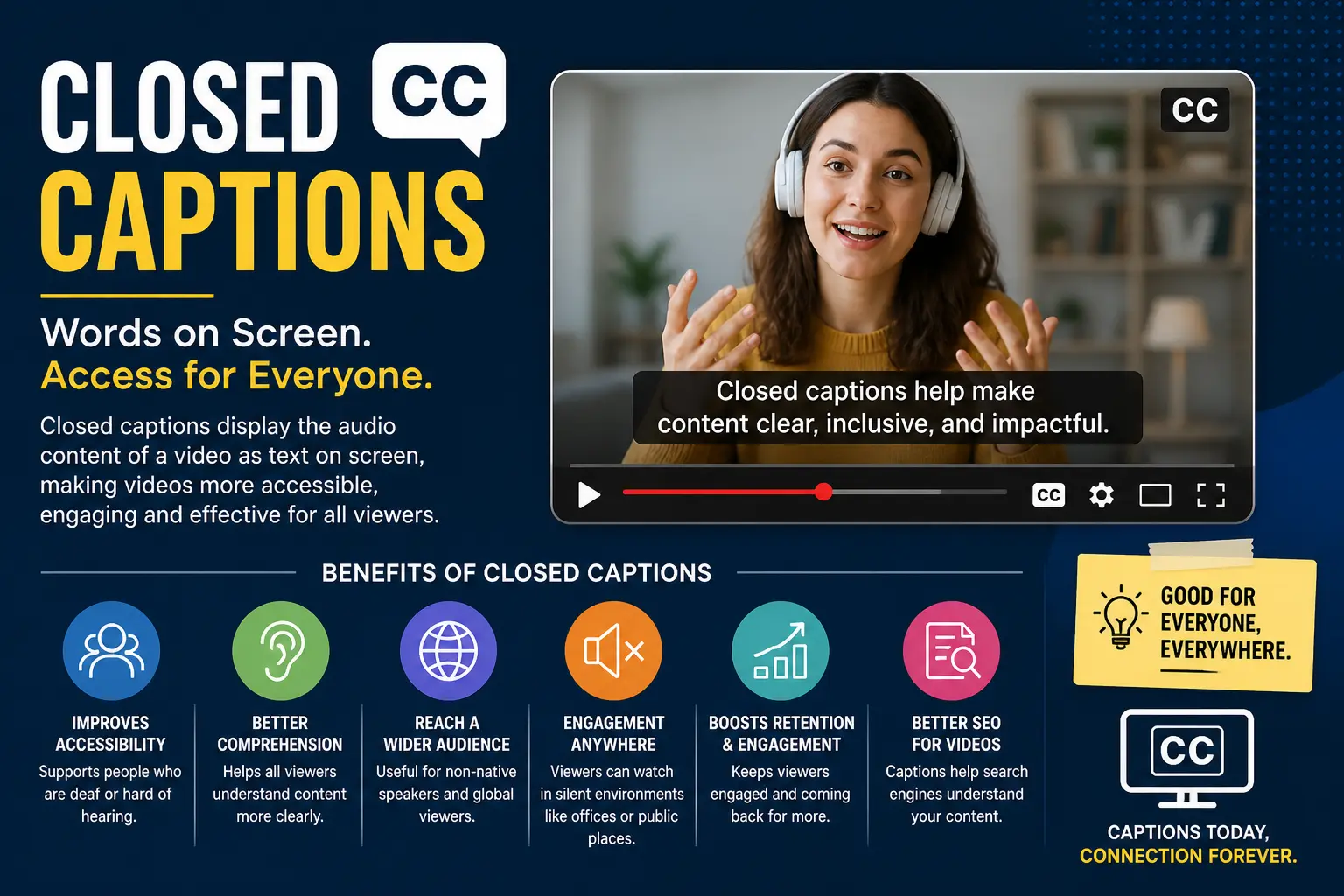
Most people have seen the little CC symbol on their screen. But very few actually know what it means, why it exists, and how powerful it really is — not just for accessibility, but for engagement, SEO, and reach.
This guide covers everything. From the closed captioning meaning to real-world uses across industries, you’ll walk away knowing exactly what closed captions are, how they work, and why they matter more than ever in 2025.
What Are Closed Captions?
Closed captions are the text version of everything happening in a video’s audio track. That means spoken dialogue, yes — but also sound effects, music cues, speaker identification, and background noise descriptions. If you are caption lovers and want to share Swimsuit Captions then must visit this page for more interesting captions.
The word “closed” is the key. It means the captions are hidden by default. The viewer chooses to turn them on. That makes them different from open captions, which are permanently burned into the video and visible to everyone, always.
So what does CC mean in subtitles? CC stands for Closed Captioning. The iconic CC logo — two letters inside a small TV screen outline — was created at WGBH in Boston and trademarked by the National Captioning Institute (NCI). You’ve seen it thousands of times, even if you never knew who made it.
Closed captioning has a longer history than most people realize. It was first publicly demonstrated in the United States in December 1971 at the University of Tennessee in Knoxville. The first regularly scheduled closed captioned broadcast on American television aired on March 16, 1980, on NBC, ABC, and PBS simultaneously.
Today, captions are governed by technical standards like EIA-608 (analog) and CEA-708 (digital), and mandated by the FCC under the Television Decoder Circuitry Act of 1990 and the Twenty-First Century Communications and Video Accessibility Act of 2010.
What does “closed caption” mean in simple terms? It means text on your screen that you can switch on or off, describing everything the audio is communicating — not just words.
350+ Photo Dump Captions for Instagram: Funny, Aesthetic & Everything In Between
Closed Captions vs. Subtitles — What’s the Real Difference?
This is the question most people get wrong. Closed captions and subtitles are not the same thing. They look similar on screen, but they serve completely different purposes.
Subtitles assume you can hear. They only translate or transcribe spoken dialogue — usually from one language to another. You watch a Spanish film with English subtitles, and only the words spoken appear on screen. No sound effect descriptions. No speaker labels. No music notes.
Closed captions assume you cannot hear. They are built for deaf and hard-of-hearing viewers. Every meaningful audio element appears as text — dialogue, tone of voice, background sounds, music descriptions, and who is speaking.
Here’s a simple breakdown:
“Closed Captions: Include dialogue + sound effects + music + speaker ID. Designed for deaf/hard-of-hearing viewers. Same language as audio. Viewer can turn on or off.</p> <p class="font-claude-response-body break-words whitespace-normal leading-[1.7]">Subtitles: Include dialogue only. Designed for viewers who speak a different language. Often translated. Do not describe non-speech audio.”
There’s also a middle-ground format worth knowing: SDH — Subtitles for the Deaf and Hard of Hearing. SDH is commonly found on DVDs and streaming platforms. It carries caption-level information (sound effects, speaker names) but is delivered in subtitle format. Many people confuse SDH with standard subtitles — they are not the same.
Regional terminology matters too. In the USA and Canada, captions and subtitles are treated as distinct services. In the United Kingdom, Ireland, and Australia, the word “subtitles” is used for both — and the equivalent of US closed captions is called “subtitles for the hard of hearing.”
What’s the difference between subtitles and closed captioning? Subtitles translate language. Closed captions replace sound — for everyone who can’t hear it.
How Do Closed Captions Actually Work?
Understanding the mechanics behind closed captioning separates basic knowledge from real expertise. There are three distinct parts: how captions are created, how they’re encoded, and how they’re delivered to your screen.
How are closed captions created?
There are three main methods used by professional captioners today:
Stenography is the oldest and most precise live method. A trained stenocaptioner uses a stenotype machine — a specialized keyboard that produces phonetic shorthand — which a computer then translates into readable text in real time. Skilled stenographers can type up to 375 words per minute, making this method ideal for fast-moving live broadcasts.
Respeaking is the method the BBC popularized. A trained captioner listens to the broadcast and repeats the words clearly into a microphone connected to voice recognition software. The software converts speech to text. It’s efficient for live content but depends heavily on the captioner’s diction and the software’s accuracy.
Typing is the slowest method and is only used for pre-recorded content. The captioner watches the video and manually types every word, then timestamps each caption to sync with the audio.
How are captions encoded?
For analog television (NTSC), captions are hidden in Line 21 of the vertical blanking interval (VBI) — an invisible area of the TV signal just above the visible picture. For digital television (ATSC), captions travel in a CEA-708 data stream embedded in the video, which supports up to 63 separate caption channels, adjustable text size, multiple fonts, and transparent backgrounds.
Common caption file formats include SRT (SubRip), SCC (Scenarist Closed Caption), SBV (YouTube’s native format), EBU STL, DFXP/TTML, and SAMI. Each platform and broadcast system uses different formats — which is why caption file compatibility is a real professional concern.
What about AI captioning? Automated speech recognition (ASR) tools have improved dramatically. But they still struggle with strong accents, homonyms, background music, and fast speech. The FCC’s 2014 quality standards specifically address caption accuracy, timing, completeness, and placement — meaning even AI-generated captions must meet professional benchmarks for broadcast.
Benefits of Closed Captions for Accessibility and Engagement
Closed captioning is not just a legal checkbox. It’s one of the most impactful tools for expanding audience reach, improving engagement, and boosting digital discoverability.
Accessibility is the foundation. In the United States, approximately 48 million people are deaf or hard of hearing. The Americans with Disabilities Act (ADA) and FCC regulations require broadcasters and many online video providers to supply accurate closed captions. Without them, tens of millions of Americans are excluded from content entirely.
But here’s what most people — and most competitors — don’t say loudly enough:
The majority of closed caption users can actually hear.
In the United Kingdom, of 7.5 million people using TV subtitles, an estimated 6 million have no hearing impairment whatsoever. The National Captioning Institute documented that in the late 1980s, ESL (English as a Second Language) learners were the single largest group purchasing caption decoders — before built-in decoders became standard in US televisions.
Why do hearing people use closed captions?
They watch videos in public with the sound off. They’re learning English. They have auditory processing difficulties. They’re in a noisy gym, bar, or airport. Or they simply prefer reading along. Research from 2019 found that 80% of people who use captions are not deaf or hard of hearing — they use them for comprehension, focus, or convenience.
The mobile video angle is enormous. It’s estimated that 85% of videos on Facebook are watched without sound. Without captions, that content is completely inaccessible to that 85%. Captions transform silent autoplay video from invisible to engaging.
SEO and digital discoverability is where captions deliver value most content teams overlook. When you upload a caption file to YouTube or embed transcripts in your video page, search engines can index every word spoken in your video. That means your video content becomes fully searchable — dramatically improving organic reach, watch time, and dwell time signals that Google measures.
Captions also increase video completion rates. Studies show captioned videos are watched 40% longer on average than uncaptioned videos. For marketers, educators, and content creators, that’s a measurable return on a relatively simple investment.
Best Uses of Closed Captions Across Industries and Platforms
Closed captioning is not one-size-fits-all. The way captions are used in a hospital waiting room is completely different from how they function in a professional stadium or a YouTube tutorial. Here’s where closed captions are doing real, measurable work right now.
Broadcast Television and Live News This is where closed captioning began and where FCC mandates are strictest. Every major US network — NBC, ABC, CBS, PBS — is required to caption live and pre-recorded programming in English or Spanish. Live news, sports, and entertainment shows rely heavily on real-time stenography or respeaking to keep captions within 2–3 seconds of spoken audio.
Streaming Platforms Netflix, Hulu, YouTube, and Amazon Prime Video all provide closed captions as standard. The Twenty-First Century Communications and Video Accessibility Act of 2010 extended captioning requirements to TV programming redistributed on the internet. YouTube allows creators to upload SRT or SBV files, and auto-captions are generated using AI — though accuracy varies significantly.
Corporate and Enterprise Settings Businesses use captioning for webinars, virtual meetings, training videos, and corporate events. Platforms like Google Meet and Zoom now offer real-time captioning features. Under the ADA, companies are required to ensure equal access to workplace communication — which increasingly includes captioned video content.
Education Schools and universities are among the most important environments for closed captions. Captions support deaf and hard-of-hearing students, but they also assist ESL learners, students with dyslexia, and anyone in a noisy campus environment. E-learning platforms that provide captioned video see consistently higher student engagement and comprehension scores.
Sports Venues and Stadiums This is where most competitors go completely silent — pun intended. Major league stadiums now caption public address announcements, in-game segments, and song lyrics on LED scoreboards and fascia boards. Following an Americans with Disabilities Act lawsuit, FedExField was ordered to add caption screens in 2006. Today, accessible captioning in sports venues is a legal and operational priority.
Film Theaters Cinema captioning uses both open and closed formats. The best-known closed system is the Rear Window Captioning System, developed by the National Center for Accessible Media at WGBH. Viewers receive a transparent panel mounted in front of their seat that reflects captions from an LED display at the back of the theater — invisible to surrounding patrons.
Video Games This is the most underreported closed captioning frontier. As games shifted to voice-acted dialogue, deaf players were excluded from gameplay-critical audio. Bethesda Softworks was among the first companies to include closed captions, dating back to 1990. Today, titles like Half-Life 2 and the Metal Gear Solid series caption both cutscene dialogue and real-time in-game sounds. Accessibility in gaming is now an industry movement, not an afterthought.
Social Media Instagram Reels, TikTok, and Facebook all generate automatic captions — with varying degrees of accuracy. The silent scroll behavior on social platforms makes captions essential for any video content creator aiming to capture and hold attention.
FAQs
What’s the difference between subtitles and closed captioning?
Closed captions include all audio information — dialogue, sound effects, music, and speaker identification — and are designed for viewers who are deaf or hard of hearing. Subtitles only include spoken dialogue and are primarily used for language translation. In the US, these are distinct services. In the UK, “subtitles” is used for both, with “subtitles for the hard of hearing” serving as the equivalent of US closed captions.
What does “closed caption” mean?
The term “closed” means the captions are hidden by default and must be activated by the viewer. They are not burned into the video. The viewer controls whether they appear. “Open captions,” by contrast, are always visible. Closed captions describe all meaningful audio — not just spoken words — making them a complete audio-to-text replacement for deaf and hard-of-hearing audiences.
What does CC mean in subtitles?
CC stands for Closed Captioning. The CC symbol — two letters inside a TV screen outline — was originally created at WGBH in Boston and is the universal indicator that a video supports closed captions. It signals that the content has been made accessible for deaf and hard-of-hearing viewers through hidden, viewer-activated text.
How do I turn off my closed captions?
“On a TV remote: Press the CC or Subtitle button to toggle captions off.</p> <p class="font-claude-response-body break-words whitespace-normal leading-[1.7]">On Netflix: While playing a video, select the speech bubble or settings icon and turn off subtitles/captions.</p> <p class="font-claude-response-body break-words whitespace-normal leading-[1.7]">On YouTube: Click the CC button in the video player toolbar to disable captions.</p> <p class="font-claude-response-body break-words whitespace-normal leading-[1.7]">On iPhone or iPad: Go to Settings, then Accessibility, then Subtitles and Captioning, and toggle it off.</p> <p class="font-claude-response-body break-words whitespace-normal leading-[1.7]">On Android: Go to Settings, then Accessibility, then Caption Preferences, and disable captions.</p> <p class="font-claude-response-body break-words whitespace-normal leading-[1.7]">On Windows: Go to Settings, then Ease of Access, then Captions, and turn them off.</p> <p class="font-claude-response-body break-words whitespace-normal leading-[1.7]">Note: On devices connected via HDMI or DVI, the source device (such as a cable box or streaming stick) controls the caption display — not the TV itself.”
Conclusion
Closed captions started as an accessibility tool for the deaf and hard-of-hearing community. Today they serve a far larger, far more diverse audience — from ESL learners and silent-scroll social media viewers to SEO strategies and legal compliance programs.
The technology has evolved from Line 21 analog encoding to AI-powered real-time captioning. The law has expanded from broadcast TV to online video. And the audience has grown from 48 million hearing-impaired Americans to hundreds of millions of everyday viewers worldwide.
If you’re a content creator, broadcaster, educator, or business — closed captioning is no longer optional. It’s the difference between content that reaches everyone and content that reaches only some.

Captions Pixel is a creative online platform offering a wide collection of social media captions, hashtags, and bio ideas for every mood and occasion. The site helps users easily find engaging, ready-to-use captions to enhance their posts, boost interaction, and express their thoughts more effectively across platforms like Instagram and TikTok.